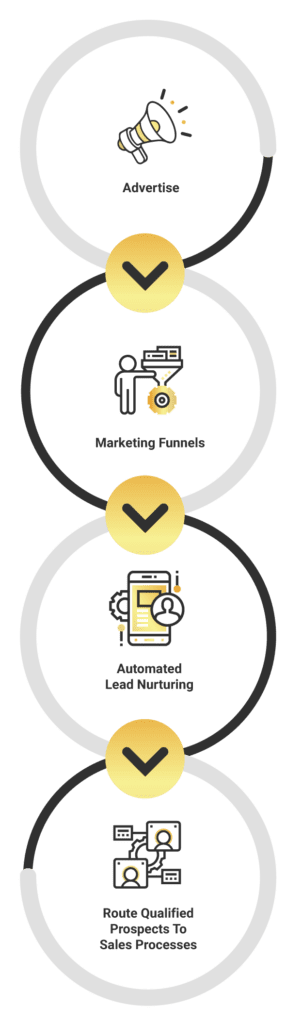
Dive deep into your customers’ experiences throughout their journey with your brand. Identify the various touchpoints where your clients engage or communicate with your organization.
While categorizing every “micro moment” might seem daunting, focus on those that propel you closer to your business goals.
Follow These 4 Steps to Map Out the Journey:
Identify Where Goals Align
Identify Communication Touchpoints
Categorize Touchpoints as Good or Bad
Identify Who is Responsible for Improving Each Area of Your Business in the Customer and User Journeys
Manage & Optimize Advertising Campaigns
Digital advertising allows you to invest in marketing areas that yield the best returns. Our service ensures that your ad campaigns are strategically managed and optimized for maximum performance.
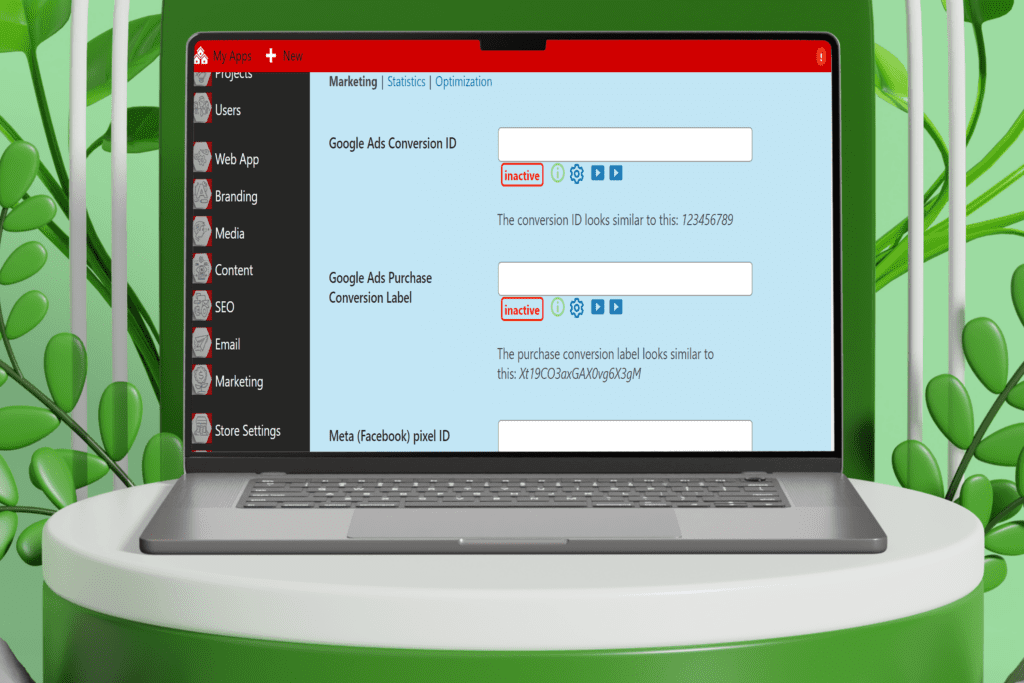
Step 1: Connect Your Ad Accounts
The first step is to connect your platform ad accounts to your web app. This enables us to collect a complete picture of costs and overall return on investment (ROI).
Step 2: Establish Data Points
Identify the data points that will be analyzed throughout your buyer’s journey. Key metrics may include product variables, ad performance, conversion rates, and more.
You are now ready to launch your business Advertising campaigns.
This involves deciding how much advertising spend will be utilized on what platform.
Creating the AD Content for the campaign
The Evolution
WordPress, Evolved.
We didn’t replace WordPress; we supercharged it.
We stripped away the bloat and engineered a Next-Gen Core. It’s the familiar flexibility you love, fused with the enterprise-grade architecture you need. No more "plugin soup"—just a streamlined, high-performance canvas ready for your ideas.
Stuck on a layout? Need a new conversion flow? Just ask Leo.
Leo is your always-on AI Web Builder Assistant. From generating wireframes to writing code snippets and optimizing content, Leo turns your conversational requests into technical reality. It’s like having a senior developer and a UX designer in your pocket, 24/7.
gend.me comes ready for the new economy.
Secure Access: Manage digital assets and keys directly from your dashboard.
Token Gating: Create exclusive areas of your app accessible only to token holders.
Automated Trust: Execute smart contracts for revenue sharing and membership verification without third-party friction.
Manage communication, files, media and projects in one place — every app you launch at gend.me gets a private Project Group to build, approve and scale your digital business.
Every new Web App Launched at gend.me gains access to it’s own Digital Business Project Group!
We cannot display this workspace inside the popup.
Review the WooCommerce description for this product.
Loading product details.
Project Consultant — your delivery partner
A vetted Project Consultant helps craft project plans, wireframes and delivery checklists so your app launches and grows with fewer surprises. They bring product, copy and design expertise that aligns work to your business goals.
Why they matter: Fast onboarding, clear next steps, and a single person who knows your goals.
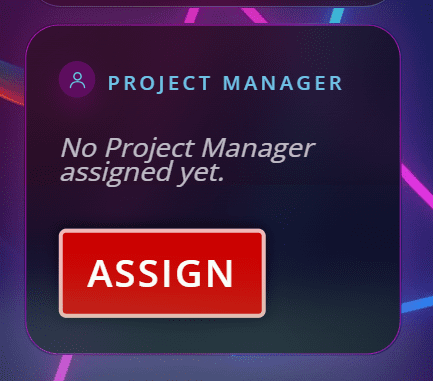
How to assign (3 steps): 1. Open Project Group header → 2. Click Assign in Project Consultant → 3. Search, message and assign.
Auto-assign: If your referrer holds a Project Consultant role they will be suggested automatically
Self-assign: Click Assign in the Project Group header, browse available consultants, message a candidate and select the best fit.
Need help? Ask the Digital Navigator or request an introduction — consultants also monitor unassigned groups and will reach out.
Choose Your Character
Join The Team Of Web Builders
Engage In Projects That Build The Network Of Web Apps & Grow The Business Owner’s Digital Business That They Support.
We are on a mission to give back ownership of Business Data To Business Owners & Take Away Being At The Mercy Of Another Platforms Policies & Rules.
 Web Apps
 Contract Wallet
 Project Plan Selection
 Group Workspace