Rewards & Loyalty

Rewards

SYSTEM_STATUS: OPTIMIZED

Manage point currencies, automate reward behavior, and monitor member loyalty from a centralized holographic command center.

// INCENTIVE_ENGINE_LOADED

Gamify Engagement.
Engineer Loyalty.

Move beyond basic points. Build a digital economy. The gend.me Rewards & Loyalty Plugin is a sophisticated economy-builder designed to turn passive users into active brand advocates.

In a modern web ecosystem, loyalty isn’t just about discounts—it’s about status, utility, and community participation.

Economy Architect: LEO AI

LEO is integrated to help you architect complex incentive structures, design custom badges, and draft personalized notification sequences that trigger at the exact moment of peak user engagement.
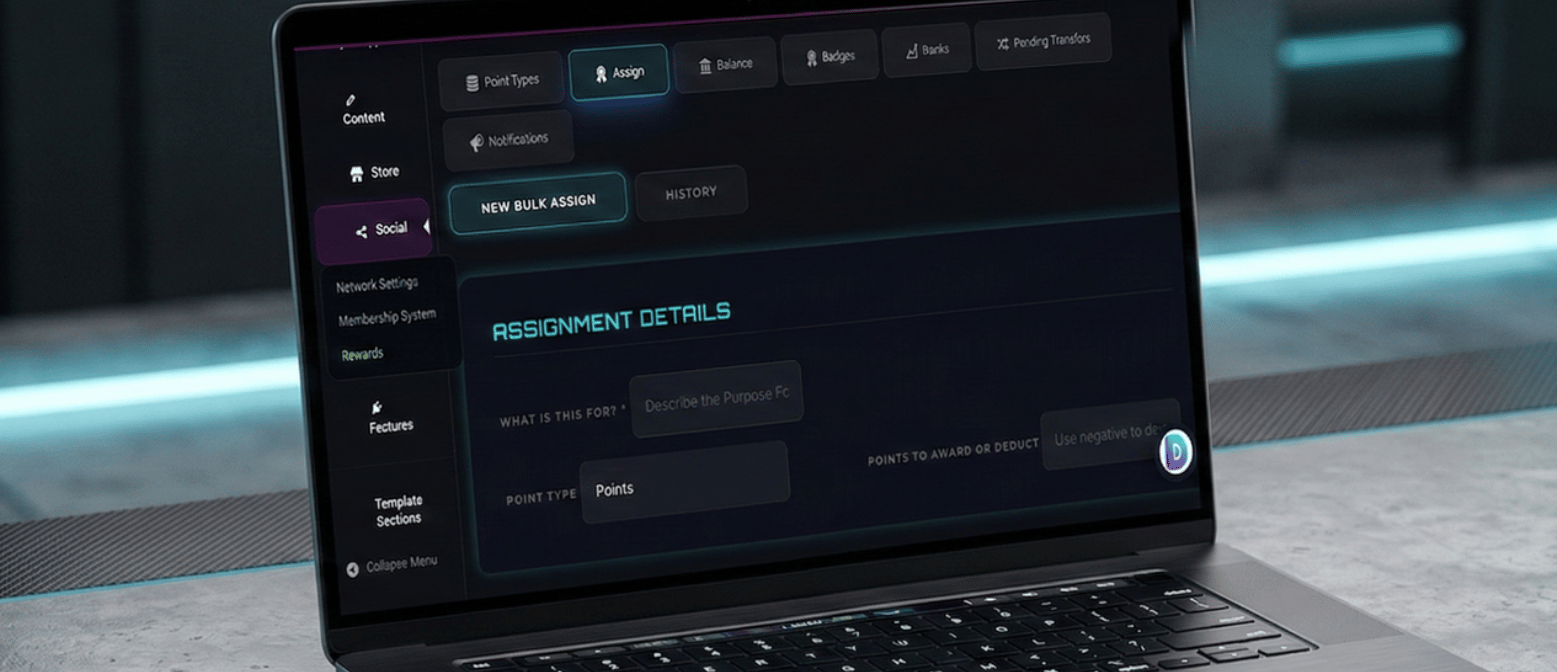
REWARDS_LIQUIDITY_ON
Loyalty and Rewards Management Dashboard
POINT_TYPE: MULTI_CURRENCY STATUS_LEVELS: ACTIVE BADGE_SYNC: 100%
// FINANCIAL_SOVEREIGNTY

The Economy
Console

Complete control over your app’s internal currency. Move beyond basic rewards into a fully sovereign digital ecosystem.

Infinite Point Logic

Create concurrent “currencies” (XP, Store Credits, Tokens) and define granular rules for Spend, Transfers, Exchanges, and Withdrawals.

Bulk Command Injection

Inject or retract points from specific segments instantly via user role or CSV upload. Command your economy at scale.

Master Ledger Transparency

Access every user’s wallet across all types. Dive into historical audit trails or perform white-glove manual balance adjustments.
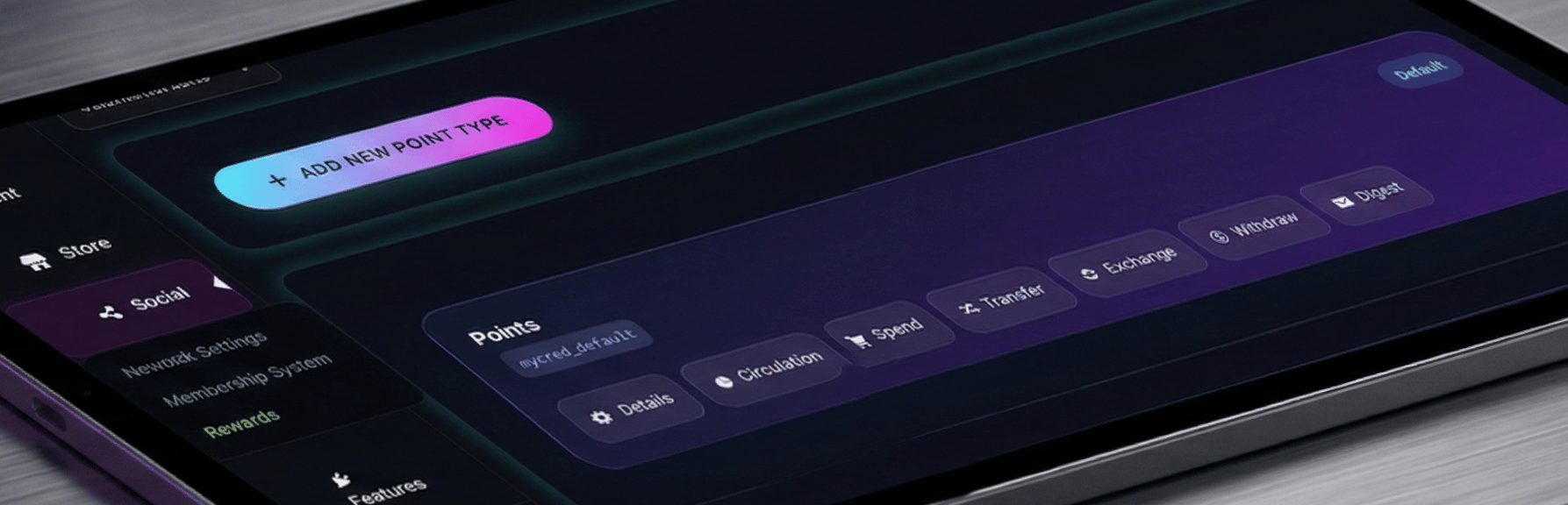
ASSET_LIQUIDITY: 100%
Economy Console Ledger Interface
CURRENCY_SYNC: ACTIVE AUDIT_LOG: VERIFIED MINT_CAPACITY: UNLIMITED

Status & Achievement Framework

Programmed_for_Psychological_Retention

🎖️

Badges

Visual Proof of Work

Build markers of achievement. Define the specific “Proof of Work” required—from profile completion to high-volume store purchases.

🛡️

Ranks

Authority Hierarchy

Set milestones for rank advancement and define exclusive “Unlocks”—special pricing, exclusive content, or elevated community permissions.

⚖️

Market Integrity

Flow & Moderation

Monitor and moderate the flow of points between users to ensure the financial integrity of your internal marketplace.

Pending Transfers & Oversight

Maintain total control over the circulation of value within your ecosystem.

SECURE_TRANSFER_ACTIVE
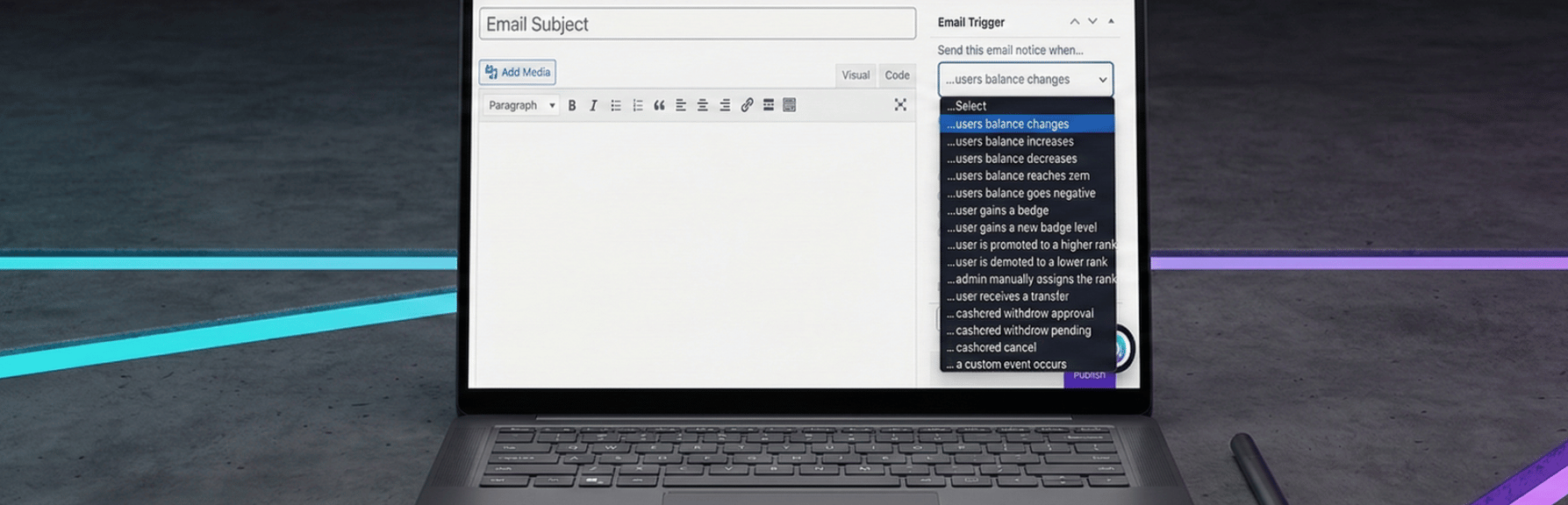
EVENT_LISTEN_ACTIVE
Rewards Automated Notification Interface
STAMP: 2026_MAR_04 STATUS: DELIVERED TRACK_ID: RW_9921
// BEHAVIORAL_FEEDBACK

Automated
Communication
Triggers

The Notifications Tab is where your rewards program comes to life. Set automated, high-conversion triggers for every major event in the loyalty lifecycle.

SIGNAL: BAL_SHIFT

Balance Shifts

Alert users instantly when points are earned or store credits are spent.

SIGNAL: TRSF_INBOUND

Inbound Transfers

Drive peer engagement when users receive points from community members.

SIGNAL: STATUS_UP

Badge & Rank

High-stakes notifications when a user reaches a new authority level.

SIGNAL: MILESTONE_NEAR

Milestone Progress

Psychological “nudge” alerts when a user is close to an achievement.

Select Your Deployment Level

Access the complete dashboard integrated with LEO, our enterprise-grade AI builder assistant.

Try free for 7 Days. No Credit Card Required.

Try The Web Building Dashboards FREE for 7 days

Welcome To Your Gend.me Account

Customer Account Close

Select Project Workspace To Execute

Connect With Your App Building Team

Manage communication, files, media and projects in one place — every app you launch at gend.me gets a private Project Group to build, approve and scale your digital business.

Every new Web App Launched at gend.me gains access to it’s own Digital Business Project Group!

Loading groups...

Project Consultant — your delivery partner

A vetted Project Consultant helps craft project plans, wireframes and delivery checklists so your app launches and grows with fewer surprises. They bring product, copy and design expertise that aligns work to your business goals.

Why they matter: Fast onboarding, clear next steps, and a single person who knows your goals.

How to assign (3 steps): 1. Open Project Group header → 2. Click Assign in Project Consultant → 3. Search, message and assign.

Auto-assign: If your referrer holds a Project Consultant role they will be suggested automatically

Self-assign: Click Assign in the Project Group header, browse available consultants, message a candidate and select the best fit.

Need help? Ask the Digital Navigator or request an introduction — consultants also monitor unassigned groups and will reach out.

Choose Your Character

Join The Team Of Web Builders

Engage In Projects That Build The Network Of Web Apps & Grow The Business Owner’s Digital Business That They Support.

We are on a mission to give back ownership of Business Data To Business Owners & Take Away Being At The Mercy Of Another Platforms Policies & Rules.