











Pages and posts
Landing, offer and comparison pages, and blog posts that answer what your customers search for.

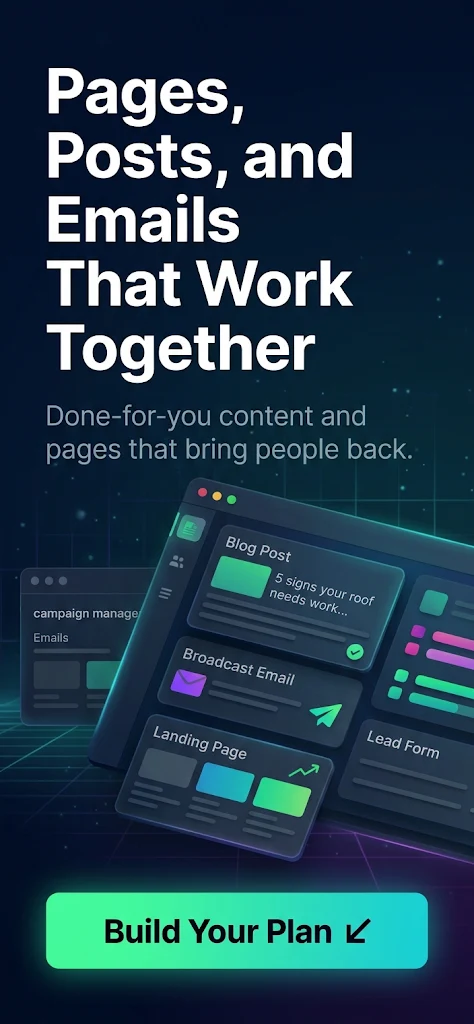
Pages that convert, posts that get found and emails that bring people back, all written and built in your web app, with monthly A/B tests that keep the better version.
From CA$30 a credit on a retainer.
We have started you with our recommended plan. Change anything as you go: the live summary keeps your total in credits and dollars.
Pages, blog posts, emails and conversion pieces written and built in your web app, with monthly A/B tests.
Log in with your gend.me account to accept this plan and pay with your credits.
Forgot password? Create an account
New to gend.me? Start your 7-day pilot first, then accept this plan from your web app.
This milestone plans the content for the funnel stage you choose. Its content plan sets every piece, its message and its call to action before anything is written.
What you receive
Your part
Your choice of stage, and a conversation about the offer it leads to.
Complete when
You have approved the content plan.
How it is deliveredEach service below is drafted by AI, built by a network Web Developer, checked by your Project Consultant and approved by you, with two revision rounds included.
Choose what this milestone includes, once or every month
This milestone creates the content. You choose the content types and how many of each: pages, blog posts, broadcast and automated emails, forms, chatflows, proposals, products and services. Each piece is written and built in your web app. Add A/B test variations every month to keep the better version.
What you receive
Your part
Your approval on each piece before it goes live.
Complete when
Every piece you ordered is built and approved by you.
How it is deliveredEach service below is drafted by AI, built by a network Web Developer, checked by your Project Consultant and approved by you, with two revision rounds included.
Choose what this milestone includes, once or every month
Not included: set any service above 0 to add this milestone back.
This milestone closes the period with a plain-language review of what was published and how it did, with the changes agreed for the next period. On a monthly plan you receive one every month.
What you receive
Your part
Twenty minutes with your consultant to go through the review.
Complete when
You have the report and have agreed the next changes.
How it is deliveredEach service below is drafted by AI, built by a network Web Developer, checked by your Project Consultant and approved by you, with two revision rounds included.
Choose what this milestone includes, once or every month
Not included: set any service above 0 to add this milestone back.
Two of the pieces in the recommended plan.
Most roof leaks start months before you see a stain. Here is what to check from the ground, in ten minutes…
Hi Sam, we have three inspection slots left before the first snow. It takes 20 minutes and you get photos of everything we find.
Pick a timeIllustrations for a sample business. Your pieces are written for your brand and built in your web app.
Add or remove any part in the builder above.
Landing, offer and comparison pages, and blog posts that answer what your customers search for.
Broadcast emails sent to your list and automated emails inside your automations.
Forms, chatflows, proposals, product listings and service listings that close the sale.
New posts and broadcasts every month. Each A/B test runs a new variation against your current version, and the better one stays.
AI speed, people’s judgment, and your approval on everything.
The moment you launch, each service is drafted from your brand, business plan and customer personas.
A network specialist improves the draft and puts it in place in your web app.
Your Project Consultant reviews the work before it reaches you.
Nothing goes live without your approval. Two revision rounds are included with every service.
A one time plan is paid once and runs once. On a monthly plan, the services set to every month are charged from your credit balance on the same day each month and their new tasks are added to your workspace. You can stop any time.
With service credits. Pay as you go at CA$50 a credit, or less on a monthly retainer: CA$40 on Ignite, CA$35 on Momentum and CA$30 on Pinnacle. If your balance is short when you launch, you can buy the missing credits or a retainer in the same step. Prices are before taxes.
AI drafts it, a network specialist finishes it, and your Project Consultant checks it before you see it. You approve every piece.
Yes. Start from the recommended plan or from scratch, add or remove anything, and set each service to once or every month. The price updates as you go and is checked again when you launch.
The plan opens as a project workspace in your web app, under Contracts, with every task ready. You follow the work there and approve each piece.
The month shows as payment due, and you and your Project Consultant get an email. Top up or choose a retainer and the month is paid automatically within six hours, or press Pay this month on the plan’s page in your web app. If it is still unpaid after 14 days, the plan pauses and nothing more is charged.
You can stop it any time from the plan’s page under Contracts in your web app. Work already started that month carries on and nothing more is charged. When you want it back, press Restart: that month is charged and the schedule continues from that day.
Start from the recommended plan, change what you like and launch it. Not sure what you need? Ask your Project Consultant for a proposal from your web app.
Build your planWe use essential cookies to run this site. With your OK, we also use cookies to measure visits (analytics) and for advertising (marketing). Privacy Policy
This site is protected by reCAPTCHA and the Google Privacy Policy and Terms of Service apply.